A .com domain normally costs you $10 to $15 every single year. And if you want email with it, hosting with it, the bill keeps growing.
But what if you could grab a .com domain for free — without even taking out your credit card?
That’s exactly what I show in my latest YouTube video. I claimed a free .com domain myself, step by step, on camera. And in this post, I’m going to walk you through the entire process in writing, so you can follow along at your own speed.
No tricks, no shady websites. Just a legit offer most beginners don’t know about. Let’s get into it.
What Is This Free Domain Offer?
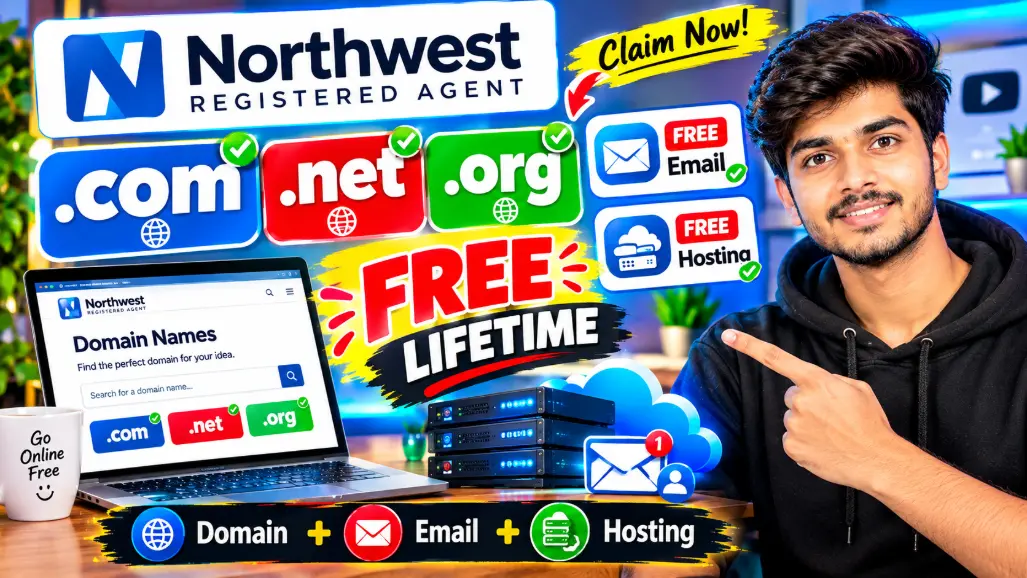
The free domain comes from a company called Northwest Registered Agent. If you haven’t heard of them, they’re a real, well-known US company that has been helping people start businesses for over 20 years. They’re not some random new website that appeared yesterday.
Northwest runs something called Free Identity Services. Anyone — yes, anyone — can sign up and get a free domain name, a free website builder with hosting, a free custom email address, and even a free business phone line. No credit card asked. No payment page at all.
Now you’re probably thinking: why would a company give this stuff away for free? Fair question. Their thinking is simple — help you start for free today, earn your trust, and maybe one day when your business grows, you’ll come back to them for paid services. That’s their whole business model. Time and trust, as they say.
What You Actually Get for Free (Honest Breakdown)
Before we go further, let me be straight with you about what “free” means here — because I’d rather you trust this blog than feel misled later.
Here’s what you get when you sign up:
- Free .com domain — your first domain is free, including renewal, as shown on their official website (that’s $15.99/year you don’t pay). You can also pick .in, .org, or .net if you prefer.
- Free website builder + hosting to get your site online quickly.
- Free custom email — something like you@yourdomain.com, which looks far more professional than a Gmail address.
- Free phone line for your brand or business.
- Zero credit card required during signup. There isn’t even a place to enter one.
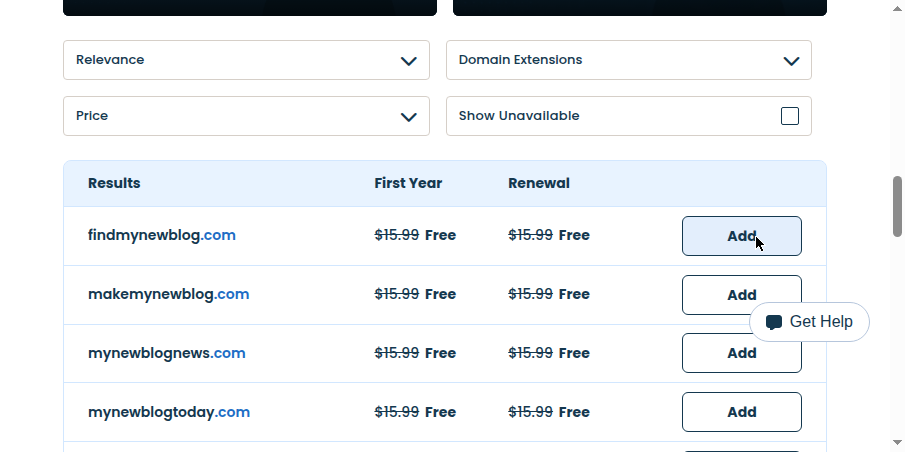
And here’s the honest part, straight from their own website: Northwest says your first domain is free — including renewal. Their domain search page literally shows “$15.99 Free” for both the first year and the renewal (see the screenshot in Step 4 below). Offers like this can change over time, so whatever terms you see on the day you sign up are the ones that count — but right now, you pay nothing today and nothing at renewal, and the domain is genuinely yours.
What You Need Before Starting
This is the shortest requirements list you’ll ever see:
- An email address. That’s it.
No credit card. No LLC. No US address. No documents. If you have an email ID, you’re ready.
How to Claim Your Free .COM Domain — Step by Step
Follow these steps exactly as I show in the video:
Step 1: Go to the Official Website
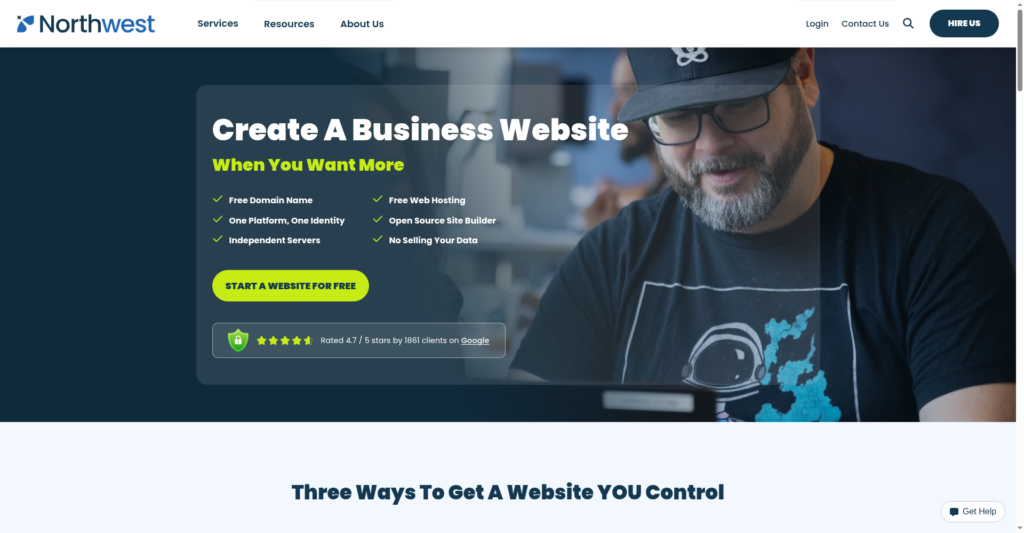
Head over to Northwest Registered Agent’s website section. This is the page where they offer the free domain, hosting, and site builder together. (I also put the direct claim link in my video’s description.)
Step 2: Create Your Free Account
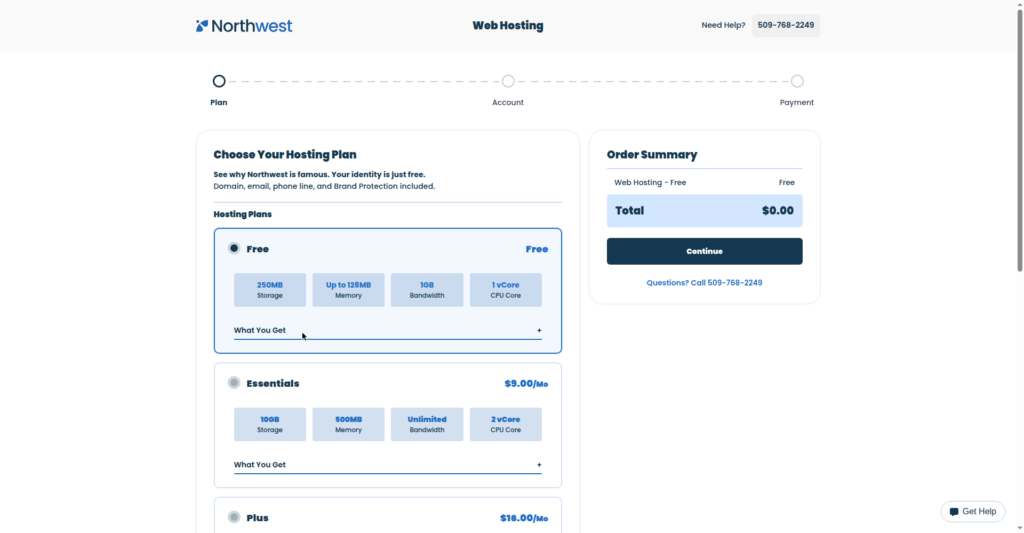
Look for the free plan — the $0 option — and sign up with your email address. It takes about a minute. There is no checkout page and no card form, so don’t go hunting for one.
Step 3: Search for Your Domain Name
Once you’re inside the dashboard, use the domain search box. Type the name you want — your name, your brand, your blog topic — and check what’s available. Try a few ideas if your first pick is taken.
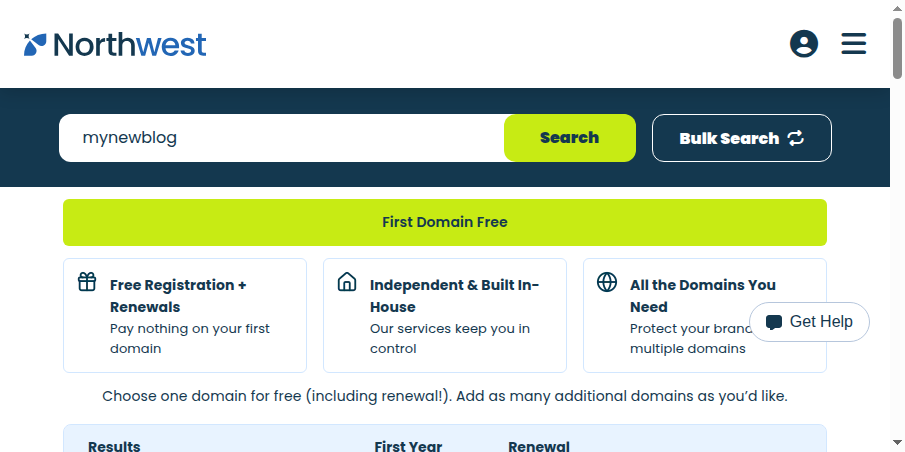
Step 4: Claim Your .com (or .in / .org)
When you find a name you like, select the .com version and claim it. The total at “checkout” is $0. The domain gets registered in your name, and you’ll see it sitting in your dashboard. Congratulations — you now own a .com domain and you haven’t spent a single rupee or dollar.
Step 5: Set Up Your Free Email and Website
From the same dashboard, you can create your custom email address (like contact@yourdomain.com) and launch a basic website using their free builder. Everything is in one place, so you’re not juggling five different logins.
Step 6: Connect It to Your Hosting (Optional)
If you already have hosting somewhere — or you want to use the domain with Blogger or WordPress — you can point the domain to it by updating the nameservers or DNS settings. In the video I show where these settings live. DNS changes can take a few hours to fully work across the internet, so don’t panic if your site doesn’t load instantly.
What Should You Do After Getting the Domain?
Owning a domain is just the start. Here’s what I’d do next:
1. Put a website on it. Either use their free builder or connect the domain to WordPress or Blogger. A domain without a website is like an empty shop — open it up.
2. Set up your professional email. An email like hello@yourname.com instantly makes you look serious, whether you’re freelancing, blogging, or running a small business.
3. Start creating content. A blog on your own .com domain is an asset that grows. And when your site has some real content, you can set up your Google AdSense profile and start earning from it.
4. Get discovered. Once your site is live, you can even set it up for Google News to pull in extra traffic.
Tips for Picking a Good Domain Name
Since you’re getting this for free, still choose wisely — you’ll live with this name for a while:
- Keep it short and easy to spell. If you have to spell it out every time, it’s too complicated.
- Avoid hyphens and numbers. They make domains harder to remember and share.
- Go with .com first. It’s still the most trusted extension in the world. If it’s taken, .in is a great pick for an Indian audience.
- Don’t use trademarked names. A domain like “nike-shoes-deals.com” will only bring you trouble.
- Think brand, not keywords. A name people remember beats a name stuffed with keywords.
FAQs
Is the domain really free?
Yes — claiming it costs you nothing, and no credit card is needed. The domain registration itself is free for the first year (about a $10–15 value). After that you can renew at the normal price or transfer it out.
Do I need a credit card at any step?
No. The signup has no payment step at all. That’s what makes this offer stand out.
Can I use this domain for a blog and AdSense?
Absolutely. It’s a real domain registered in your name. You can build a blog on it, get traffic, and apply for AdSense like any other domain.
Can I transfer the domain to another company later?
Yes. After the standard 60-day transfer lock that applies to all new domain registrations, you’re free to move it to any registrar you want.
Do I need to form an LLC or company?
No. The free identity services are open to everyone — you don’t need to buy their LLC formation package or be a US resident.
What happens at renewal time?
As per Northwest’s current offer, your first domain stays free — including renewal. If their terms ever change down the line, you can renew at the regular price or transfer the domain to another registrar. Either way, you’ll get a reminder before anything expires.
Final Words
Getting your first .com domain is one of those small steps that feels big. It turns “someday I’ll start a website” into something real — with your name on it, and zero money spent.
To recap: sign up free on Northwest Registered Agent, search and claim your .com, set up your email and site, and you’re live. The whole thing takes less than 15 minutes.
If any step confused you, watch the full video tutorial at the top of this post — I do every single click on screen so you can’t get lost. And if this helped you, share it with a friend who’s been putting off starting their website. See you in the next one!