In today’s digital age, when it comes to online privacy and data security, the need for proxy services has increased significantly. Whether you’re a digital marketer, web scraper, or manage multiple social media accounts, this PYPROXY proxy service can make your work easier. Today, we’re going to talk about PYPROXY, a leading residential proxy service provider. In this blog post, we’ll tell you whether PYPROXY is right for your needs, how to use it, and how to purchase a proxy plan. After purchasing, how to connect it in your browser.
What is PyProxy?
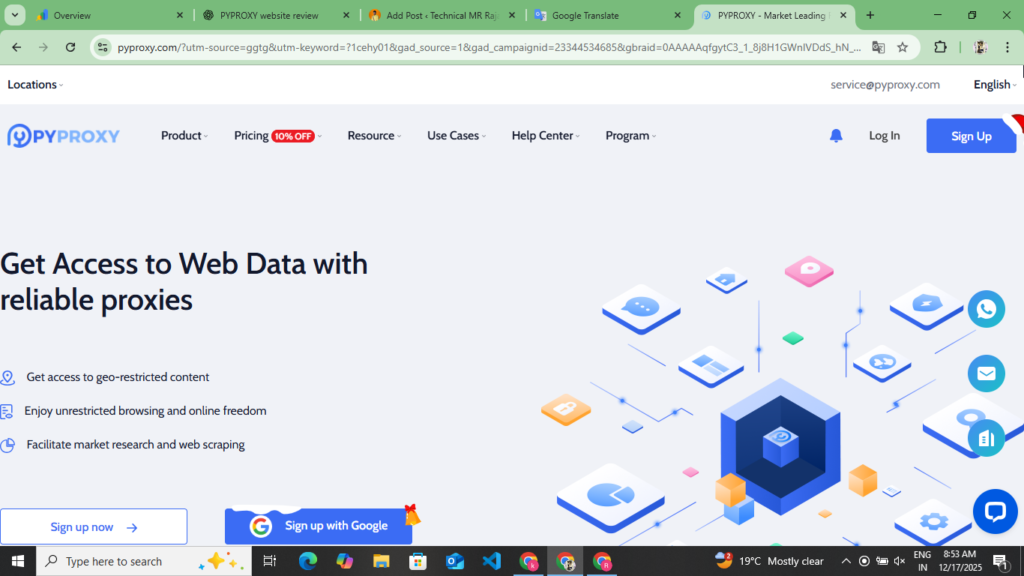
PYPROXY is a professional proxy service provider that provides over 90 million IP addresses worldwide. This company offers various types of proxy services, including residential proxies, data center proxies, IPs proxies, and Socks5 proxies. These proxy servers are primarily used for business and personal use, such as web scraping, brand protection, monitoring, and marketing.
PyProxy Plan And Pricing
Residential Proxy Pricing
| Plan Size | Per GB Rate | Validity | Best For |
| 1GB | $1.8/GB | 30 Day | Testing |
| 5GB | $1.8/GB | 30 Day | Small Projects |
| 10GB | $1.7/GB | 30 Day | Medium Use |
| 50GB | $1.4/GB | 30 Day | Large Scale |
| 100GB | $1.3/GB | 30 Day | Business |
| 500GB | $1/GB | 30 Day | Enterprise |
Data Center Proxy Plans And Pricing
| Plan Type | IPS Number | Per IP Cost | Features |
| Basic | 10 IPs | $1.5/IP | HTTP/HTTPS Support |
| Standard | 50 IPs | $1.3/IP | Fast Speed |
| Premium | 100 IPs | $1.2/IP | Dedicated IPs |
| Business | 500 IPs | $1/IP | Priority Support |
| Enterprise | 1000 + IPs | $0.5/IP | Custom Solutions |
Socks5 Proxies Plan
| Plan | IPs | Per IP | Location Option |
| Starter | 100 IPs | $0.045 | 5+ Countries |
| Growth | 500 Ips | $0.040 | 10+ Countries |
| Professional | 1000 IPs | $0.035 | 20+ Countries |
| Business | 5000 Ips | $0.030 | 50+ Countries |
| Enterprise | 1000+ IPs | Negotiable | Global Coverage |
How To Create Your Account In PYPROXY
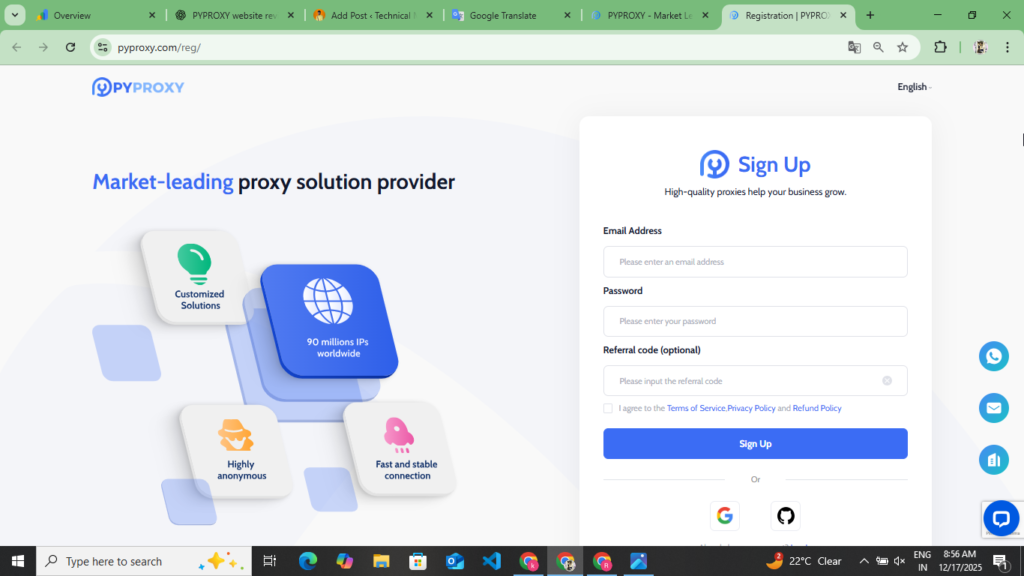
Creating an account in PYPROXY is very easy. You can create your account by following these given points and purchase the plan from here. Read the following points carefully.
- Here you can create your account in two ways. Firstly, you can create your account by clicking Continue With Google and you can also create it manually by entering your Gmail and password. We will tell you how to create a manual account.
- First of all, you have to open your browser and after opening the browser, you have to search for PYPROXY. You will find the official website of this proxy at the end of these points. By clicking on it, you will be redirected to their official website.
- Now after coming to the website, you will see the sign up option at the top. As soon as you click on the sign up option, you will first have to enter your email address, after that you will have to enter your password and after that you will have to enter the referral code. You will get the referral code in the link given below and you will have to accept their privacy policy and terms and conditions. After accepting, you will see the sign up button at the bottom, you have to click on it.
- Now as soon as you click on the sign up option, you will receive an email on the Gmail account you entered here. You have to verify your account through that email. Once you verify your account, you will be taken to their dashboard.
- Now after coming to the dashboard, you will be able to see all the plans and their pricing here. We will tell you separately how you can buy the plan for yourself from here.
So now you can create your account by following all these points and here you can also create your account by continuing with Google. However, if you use this proxy on another device, then you will have to login to Gmail on your mobile phone and PC and after that you can access your account, hence you should create and handle your account manually.
How To Buy A Plan From PYPROXY
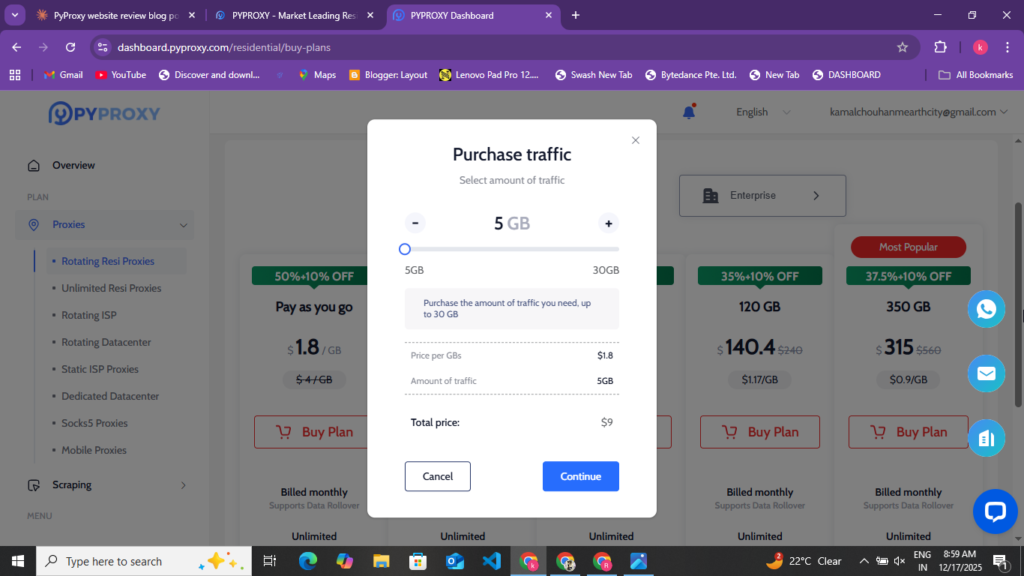
On PYPROXY, you get to see many types of plans and their pricing varies. Here you get to see Data Center Proxy, Residential Proxy, Sockes5 and Mobile Proxy. To buy the plan you want here, follow the given points.
- First of all, you have to create your account. If your account is not created then follow the points given above and create your account. As you create your account, after creating it, you go to their dashboard. On the dashboard, you get to see many plans and their pricing.
- Now select the plan you want to buy, like here you can see Residential Proxy, Data Center Proxy, Socks5 and Mobile Proxy, like if I want to buy Radiation Proxy, then I select that plan once and click on the Next option.
- Now as soon as I click on the Next option, here you get to see information about debit card, credit card, bitcoin and crypto currency through which you can make payment. Here, as I have selected debit card, then when I click on the Next option, I have to enter the debit card number, expiry number and CVV number and click on the Continue option.
- Now, when you click on the Continue option, you will have to get your payment deducted here. Once you get the payment deducted, you will be redirected back to the plan you purchased from here.
Now by following all these points, you can buy the plan you want to buy and create your account and you can run all these proxies in your browser.
How To Buy DataImpulse Proxy Full Buy Method In 2025 :- Read More
How To Run PYPROXY
You can run PYPROXY in any browser. You get to see many types of browsers like AdsPower, GoLogin, OctaBrowser. You get to see many types of browsers like this, you can easily run this proxy in those browsers. First of all you have to buy a plan in PYPROXY. After buying the plan, you have to select your location and select HTTPS. After that, you have to create a proxy from here and you can run GoLogin, AdsPowe, OctaBrowser on that proxy and can access all the social media accounts there and can manage your multiple accounts.
Some more information about PYPROXY
You can see many types of plans on PYPROXY and this is a proxy premium, proxy provider website. Here you can easily create your account and can easily buy any plan. After buying the plan, you can create your proxy and run it on any browser and handle your social media accounts and manage all the multiple accounts.
Pyproxy is a solid process service website that offers a combination of good features, world-wide coverage, and 90 million+ IPS. It offers a reasonable pricing combination. Although it has some drawbacks like customer support timing and basic professional issues, it can still be a good option for maximum use.
Disclaimer :- This website review is not a sponsorship or promotion of any kind. This website review is written for user information so that users can easily read it and learn about this proxy website. This blog post does not mention using this proxy website for any wrong purpose. This blog post explains how you can manage your multiple accounts with the help of a proxy.