
If you are not getting approval on Google Adsense, repeatedly getting the error of Low Value Content or the error of Privacy Policy , then you can monetize your website by using this Ads Network.
PopCash is a worldwide advertising network that allows publishers to earn money by displaying ads on their websites and allows advertisers to promote their products. This network uses Popunder Ads, which open behind the user’s browser window. In this blog post, we will tell you in detail about PopCash, so stay tuned and you can monetize your website by reading this blog post.
What Is Popcash
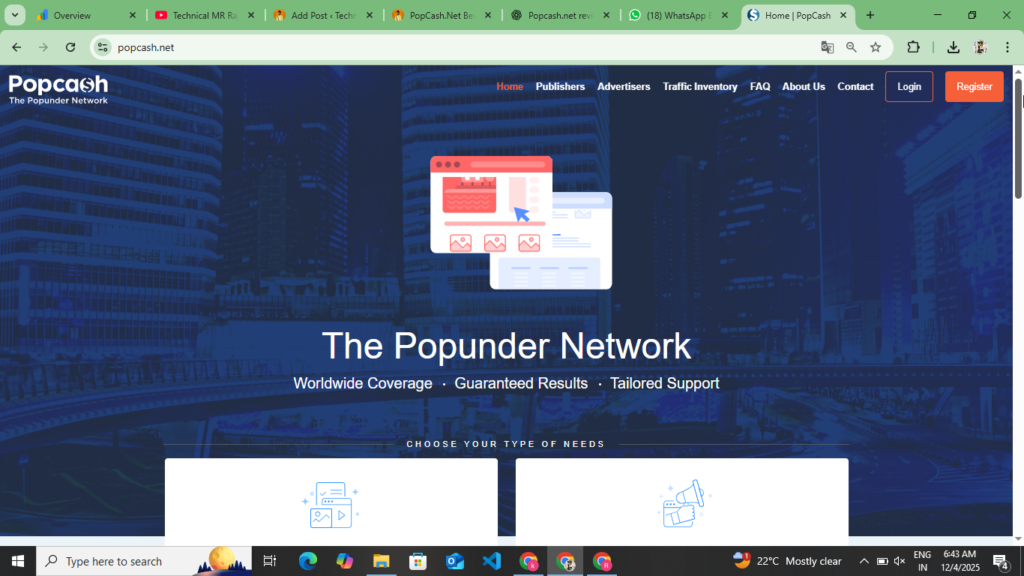
PopCash is an advertising platform that is very popular in the field of online marketing. This platform can be a perfect choice for both publishers and advertisers. PopCash started with a simple idea: to compete with publishers for their quality content and to help advertisers reach their target audience. This is PopCash’s job. This platform uses a unique Popunder advertising format, in which the advertisement opens behind the browser window. This format is different from traditional banner ads and is more effective. Working with PopCash is also great because it offers worldwide access. You can start from India and enjoy traffic from all over the world.
Another important aspect of PopCash is that it’s transparent and reliable. Your earnings can be tracked in real time. The payment system is also very simple and efficient. You can withdraw up to $5 if you’re a publisher and approve your website.
How To Work Popcash.Net
It is very important to understand the working mechanism of PopCash. When a visitor comes to your website, the PopCash Ads Code is loaded in the same browser. Then, when the visitor closes your site with a specific action or navigates, Popunder Ads are displayed. This process is completely automatic and you do not need to do anything manually. Once the Ads Code is installed, it works automatically. PopCash’s algorithm automatically determines which Ads are displayed at the right time. You can understand this through a table.
| Aspect | Description |
| Ad Format | Popunder Ads |
| Earning Models | CPM And CPC |
| Global Coverage | 150+ Country Available |
| Payment Method | Wire Transfer, Paypal, WebMoney |
| Minimum Payout | $10 – $20 |
| Payment Frequency | Weekly And Monthly |
| Support | 24/7 Customer Support |
| Account Setup | Completely Free |
Who can benefit from PopCash?
It is very easy to take advantage of PopCash. If you are a website owner or a blog writer or a mobile app developer, then you can earn good money from PopCash. Also, if you want to promote your business, then you can work as an advertiser and divide the traffic on your app installation and website. You can understand how you can take advantage of PopCash by looking at the following points.
- For Blog Writers :- If you’re a blogger and generate good monthly traffic, PopCash could be a perfect income source. You won’t have to make any changes to your writing; simply add the ads code and it’ll start running.
- For Niche Website Owners :- If you have a specific news website, you can earn a lot with PopCash. Niches like Tech, Health, Finance, and Entertainment offer very good CPM rates.
- News Portal :- If you are a news website, you get good earnings from PopCash because they have high traffic, due to which you get to see high earnings here.
- For Business Owners :- If you want to promote your product or service, you can take advantage of Popcash as an advertiser, which can bring traffic from 150 countries and increase the sales of your product, that too with international users. You can also benefit from this by understanding the table given below.
| User Type | Benefit | Earning Potential |
| Blog Writers | Passive Income | $100 – $5000/Month |
| News Portals | High Traffic Monetization | $1000 – $50000/Month |
| Niche Websites | Target Audience | $200 – $10000/Month |
| App Developers | i App Monetization | $50 – $5000/Month |
| Business Owners | Lead Generation | ROI Based |
| E – Commerce Sites | Traffic Boost | Variable |
| Forum Owners | Community Monetization | $100 – $2000/Month |
How To Create Advertiser Account In PopCash.Net
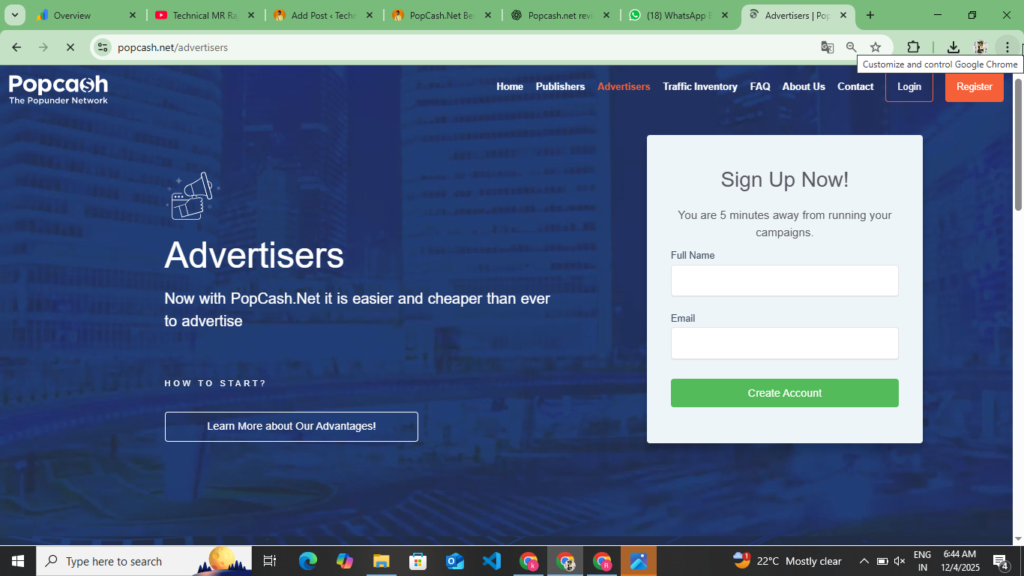
You can create your account on PopCash in two ways. If you want to monetize your website, then create your account in Publisher and if you want to advertise your website and sell your products, then create your account in Advertisement. First of all, you should understand how you can create your account in Advertisement. You can create your account in Advertisement by following the given points.
- First of all, you have to open your browser, after opening it, you have to simply search it, as soon as you search PopCash, you will get the first website, you have to open it or you will get the official website link of this website at the end of these points, you have to click on it.
- Now as soon as you reach their official website, the dashboard opens in front of you. At the top, you will see the option of Publisher and Advertisement. You have to click on Advertisement and read all the information carefully about how to create your account, which ads you can create from here and how to create the campaign, what is the minimum deposit, you have to read all these information once.
- Now after reading all this information, you will see the sign up option at the top, you have to click on it, here you have to select I Am A Advertisement and click on the Next option, as you click on the Next option, first of all you have to enter your username and password, after that you have to enter your email, after entering the confirmed email, after that you have to enter the password and confirmed password, copy the captcha and click on the Create Account option, as if you click on the Create Account option, then your Gmail which you had added here will receive a mail on Gmail, through that mail you have to verify your account.
- Now after verifying the account, the Dashboard will open in front of you and in the Dashboard you will get to see the option of Static and in the SideBar you will get to see the option of Website and Campaign, you will get to see the option of Payment, along with this you will also get to see the option of editing your profile, now here first of all you have to add your payment here, here the minimum deposit for advertisement has been kept at $50, you can make this deposit from your Paypal and Bank Account and Crypto.
- Now here you have to add $50 and $100 from your debit card. After adding, you will see the option of create campaign. Click on it and create the campaign. First of all, you have to enter the title of the campaign. After that, you have to upload a media and take traffic to your website. If you want to take the product to the website or if it is an app, then put the link of the app here and turn on the ads. Later, you have to select CPM and CPC. If you select CPM, then the payment will be deducted on the basis of impressions. If you select CPC, then your payment will be deducted on the basis of clicks. You have to select any one of these two. After selecting, you have to make your campaign live here.
- As soon as you make your campaign live, your campaign will remain in processing for some time, after that it will be published after some time and traffic will start coming to your website.
By following all these points, you can create your account as an advertisement and after creating the account, you will have to deposit the payment here, after that your advertiser will go live. Before making your advertisement live, you have to read the title once carefully, the media which you had uploaded here has to be seen once again and the link which you had entered here has to be seen as working once, after that you have to go live here. While going live, you have to select CPM and CPC. If you select CPM, then your payment is deducted on the basis of impressions. If you want to get an app installed and an account created from your user, then you have to select CPC for that. If you select someone from you, then the payment is deducted on the basis of your clicks. You have to take special care of all these things, after that you have to make your campaign live.
How To Create Publisher Account In PopCash.Net
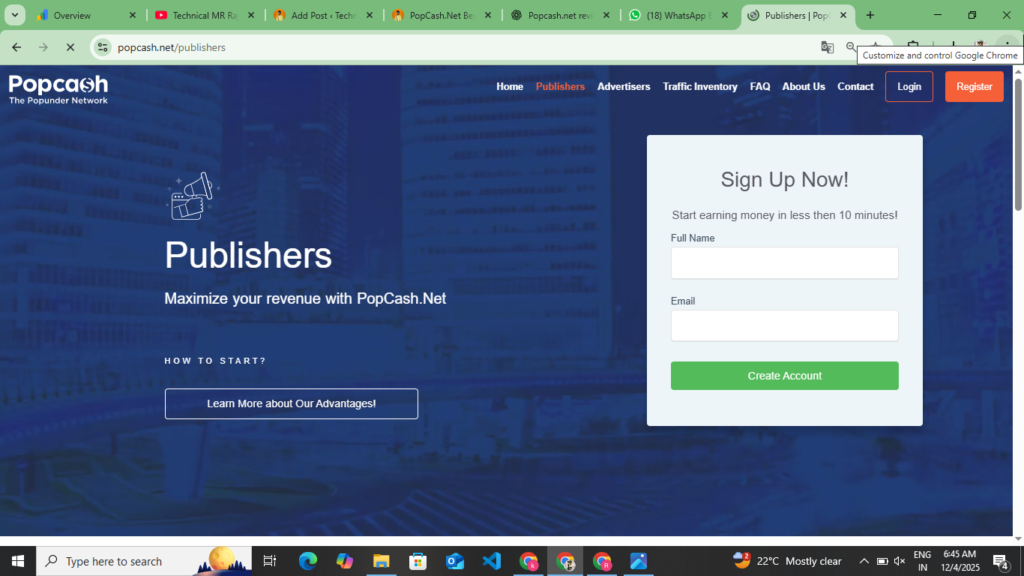
Now you understand how you can create an advertising account on PopCash. Now you should understand how you can create your account in Publisher and after creating the account, how to add your website and how to verify the ownership of your website. You should read the points given below completely, after that you can get your website approved here.
- First of all, you have to search PopCash on your browser. The first website you see is to open it by clicking on it. Otherwise, you will find a button at the end of these points. By clicking on it, you will be taken to their official website.
- Now after coming to the official website, you will see the publisher option at the top, you have to click on it, as soon as you click on it, the publisher’s dashboard opens in front of you, there you will get to see all the information related to the publisher, what type of ads are seen, which ads can you generate from here and place on your website, what is the minimum withdrawal limit and which companies’ ads are shown on your website when the approval is done here.
- Now after getting all this information, you will see the sign up option at the top, you have to click on it, here you have to select the option of I am a publisher, as you select it, first of all you have to select your username, after that you have to add your Gmail here, after that enter the full name, last name and password and click on the create account option.
- Now as soon as you click on the Create Account option, the Gmail you added here will receive a mail on Gmail. You have to verify your account through Gmail and at the time of creating your account, you had entered the website link here, if you had not entered it there, then here you get to see the Add Website option, click on it, after clicking on it you have to enter the URL and domain of your website and click on the Next option, as you click on the Next option, then here you have to verify the ownership of your website, you can verify your ownership through Meta Tag and you can also do it by uploading a file in the root file, you have to select the Meta Tag and copy the Meta tag, now if you have a WordPress website, then you have to install Wp Code Header And Fotter by clicking on the Plugin option and you will see the Code Snipped option, click on it and paste it below the header, there you get to see the Header option and if your If you have a website on Blogger, then go to the Edit Theme option of the Theme Edit Coding and paste this code under the Head Tag and then come back to PopCash and verify the ownership of your website.
- Now as soon as you verify the ownership of your website, your website will go under review and you will have to wait for 2 to 3 hours, after which your website will be approved and will appear in front of you.
- Now as soon as your website is approved, you have to generate the Ads Code here. Here you get to see Popunder Ads, you have to generate the Ads Code. In the side bar, you get to see the Ads Code option. Click on it and generate the code by clicking on the Generate Code option and paste it below the Head Tag of your website.
- Now your ads will go live and accordingly the users who visit your website will see the ads and accordingly you will get to see the earnings here, you can get that earning transferred to your Paypal through Wire Transfer and Cryptocurrency, here you get to see a withdrawal of $5.
So now you can follow all these points and create your publisher account and submit your website here for approval and after approval, you can generate Ads Code from here and make it live on your website. Here you get to see a minimum withdrawal of $5. As soon as you complete $5, you can withdraw this amount in your bank account and Paypal. Here you also get the option of weekly and monthly payments.
Eligibility Approval Website In PopCash.Net
Before getting your website approved on PopCash, what eligibility criteria are required, then your website gets approved here. You can understand through a table that depending on the type of your website, you get stand approval here.
| Requirement | Details | Importance |
| Original Content | 100% unique Content | Must Have |
| Minimum Posts | 50 – 100 Quality Content | Essential |
| Website Age | Minimum 3 – 6 Month | Important |
| Navigation | Clear Site Structure | Must Have |
| Legal Pages | Privacy Policy, Contact Us, About Us | Required |
| Category | Clear Content Category | Must Have |
| No Plagiarism | Copyscape Pass | Essential |
| No Adult Content | Family – Friendly | Food Garden |
| Regular Updates | Consistent Publishing | Important |
| Good Design | Professional Look | Helpful |
How to earn on PopCash
If your website gets approved on PopCash, then you get to see two types of models here, the first one will be the CPM model and the second one is the CPC model. In the CPM model, you earn on the basis of impressions and in the CPC model, when a user comes to your website and clicks on the ads and creates an account on the website which opens on the app, then you get to see CPC there. You earn less in CPM but you earn the most in the CPC model. Understand the difference between these, how earning happens in the minimum and how earning happens in the CPC model, on the basis of the following points.
- CPM Models :- PopCash mostly works on the CPC model. CPM means “Cost Per Mille”. Mille means 1000. This means that you are given a fixed amount for 1000 impressions. Here you get to see a CPC of up to $2. If you get 10,000 impressions, then on the basis of 10,000 impressions, you earn $20 here. CPC rates vary based on different countries and traffic quality. CPC rates are very good for traffic coming from developing countries like USA, UK, Canada, whereas CPM is for traffic coming from Asian countries. CPm rates are higher for high-quality traffic. Quality means that the visit is genuine and there is interest in their content.
- CPC Models :- In some cases, PopCash also uses the CPC model. CPC means “Cost Per Click”. In this, you get paid for every click, irrespective of the number of impressions. You can understand this through an example that if your CPC rate is $0.5, then you earn $50 based on 100 clicks. You can earn more with the CPC model, but it depends on the clicks.
How to Withdraw Payments on PopCash
If you get your website approved on PopCash, after approval you generate earnings from your website here, then after earning on PopCash you can withdraw your earnings but there is a minimum threshold for withdrawal, usually this threshold is $10 or $20, it may be different for some countries, when your earnings meet the minimum threshold then you can request your payment, a Withdraw or Request Payment button will appear in the dashboard, you can request payment by clicking on it, PopCash will transfer your payment to your registered bank account, paper or other payment method, payment processing may take 7 to 8 days.
The following are PopCash’s CPM rates for different countries.
After getting your website approved with PopCash, you will see the CPC and CPM. The following table will help you understand the CPM rates for each country.
| Country | Average CPM | Traffic Quality |
| USA | $4 – $20 | Highest |
| UK | $3 – $15 | Highest |
| Canada | $3 – $12 | High |
| Australia | $3 – $12 | High |
| Germany | $2 – $10 | High |
| France | $2 – $8 | Medium – High |
| India | $0.5 – $3 | Medium |
| Pakistan | $0.3 – $2 | Medium Low |
| Bangladesh | $0.3 – $1.5 | Low Medium |
| Philippines | $0.4 – $2 | Medium |
Type Of Ads In PopCash.Net
Here you get to see only one type of ads and that is Popunder Ads. Here you can get information about this ad by looking at the following points.
- Popunder Ads: – In PopCash, you get to see only one type of Ads, that is Popunder Ads, you always get to see the correct CPM of this, if your traffic is coming from European countries then you get to see high CPM here, but if your traffic is coming from Asian countries then you get to see a low CPM, this is placed in the navigation and background of your website, wherever your user clicks on the website, this app opens in front of them.
Kadam.Net Best Adsense Alternative Website Approval Process And Full Review :- Read More
few words For PopCash
PopCash is a very good and reliable advertising network that gives you the opportunity to generate income for your website. Whether you’re a publisher or an advertiser, PopCash can be the perfect platform for you. As a publisher, you can monetize your quality content. As an advertiser, you can promote your products and reach market targets. This article provides complete information about PopCash, including how to create an account, how to get your website approved, and how to advertise if you create an advertiser account. This blog post will cover all of these details. If you’re also interested in joining PopCash, visit their official website today to begin your journey, get your website approved, and start earning from it. If you’re not getting Google AdSense approval, you can turn to this platform for approval.
Disclaimer :- This website review is not a sponsorship/promotion of any kind. This website review is only for providing information to the users and those users who are not able to get Google Adsense approval can use this website to monetize their website and generate a side income.