In today’s blog post, we will tell you how you can buy DataImpulse Proxy and after buying, how you can access its plan. Along with this, we will also tell you how you can run this proxy on your browser. So, read this blog post completely and do share it with your friends.
Privacy and security are very important when using the internet nowadays. If you do data scraping, website testing or online ad verification, a proxy is a must-have tool for you. DataImpulse Proxy is a reliable service provider that offers high-quality service at an affordable price.
What is DataImpulse Proxy?
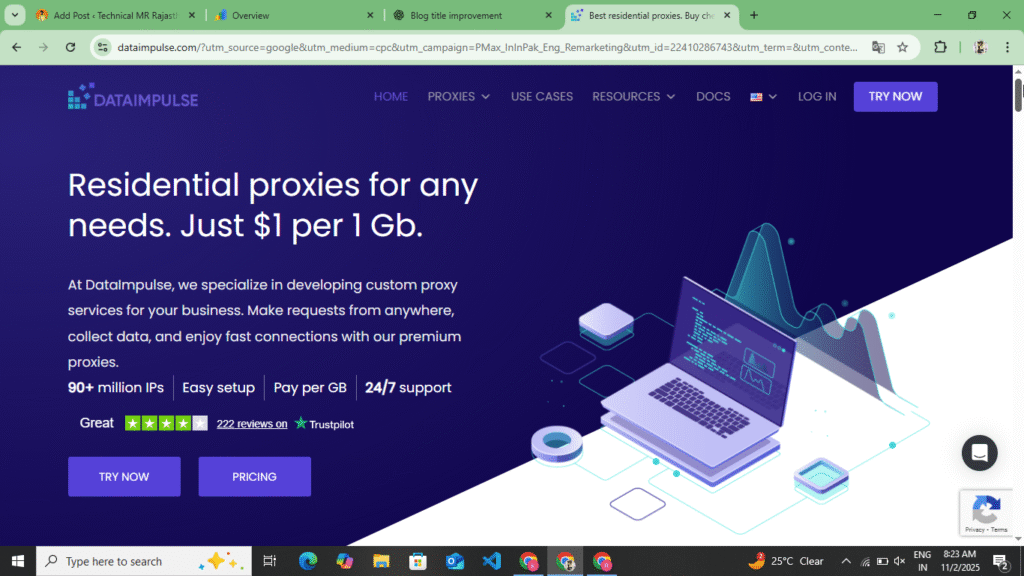
DataImpulse Proxy is a premium proxy service provider that provides more than 90 million IP addresses worldwide. This proxy is available in more than 195 countries. DataImpulse Proxy’s service is very secure, fast and reliable. What benefits can you get from DataImpulse Proxy? Read the following points once.
- High Speed and Reliability :- DataImpulse Proxy guarantees you 99.99% Uptime, which means your proxy will work almost always without any blocking.
- Affordable Price :- Data Impulse Proxy offers you more data at a lower cost than all its competitors, and there are no additional fees.
- Flexible Plans :- Various plans are available for everyone from small users to large businesses.
- No Time Limit :- Once purchased your data never expires and you can use it as per your convenience.
- 24/7 Customer Support :- DataImpulse Proxy team is always ready to help you, you can message them at any time and provide all the information.
PopCash.Net Best Adsense Alternative Website With Full Review And Approval Process :- Read More
All DataImpulse Proxy Plans
| Proxy Types | price | data | Price per GB | Properties |
| Residential Proxy | $5 | 5GB | $1/GB | For new users |
| Data Center Proxy | $5 | 10GB | 0.5/GB | For new users |
| Mobile proxy | $5 | 2.5GB | $2/GB | for testing |
| Premium Residential | $5 | 1GB | $5/GB | Premium Start |
Process To Create An Account On DataImpulse Proxy
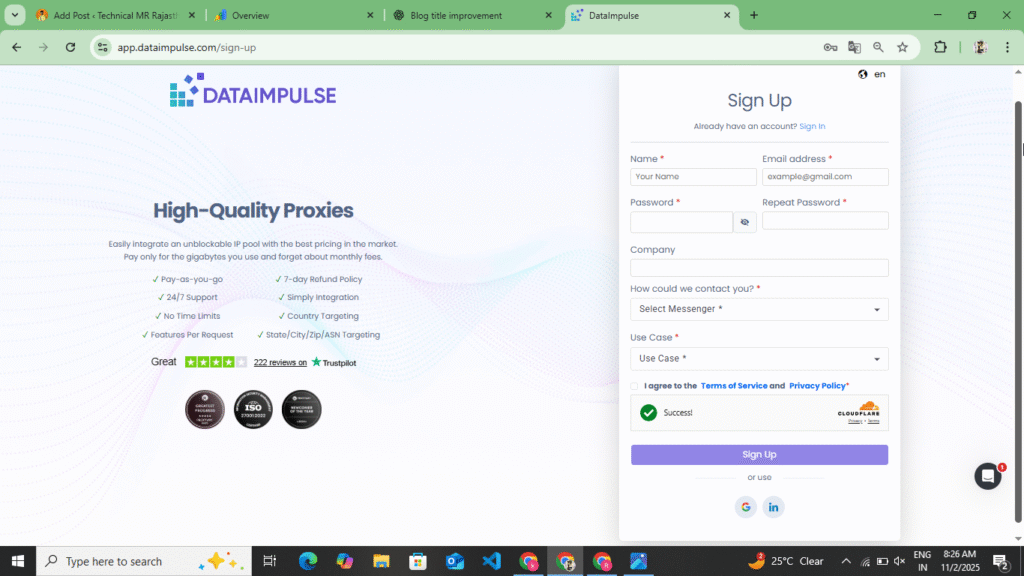
Creating an account on the DataImpulse Proxy website is very easy. You can create your account using your Gmail or Continue with Google. You can easily create an account by following the steps given below.
- First of all, you have to search DataImpulse Proxy in your browser. You will find the official link of this website at the end of all these points. By clicking on it, you will be redirected to their official website.
- Now after visiting the official website, you will get to see all their plans, which types of proxy you get to see, and you will get to see their uptime and the plan for this proxy.
- Now after seeing all the plans, you have to create your account. Now to create an account, you will see the sign up option at the top. As soon as you click on the sign up option, you will first have to enter your first name, then last name, then your mobile number and password and confirm password and select the proxy in which you want to use it and click on the Create account option. As soon as you click on the Create account option, the Gmail you added here will receive a mail on that Gmail, you have to verify this account through that mail.
- If you do not want to create your account manually, then you can also create your account by continuing with Google. As soon as you continue with Google, you will see another option of continue. By clicking on it, you can create your account. In this, you do not need to verify your account. Now, by doing all this, you can create your account.
You can create your account by doing all this and verify your account. Now if you want to buy a plan here, you will get more points at the bottom. By following those points, you can buy your plan from here.
How To Buy DataImpulse Proxy
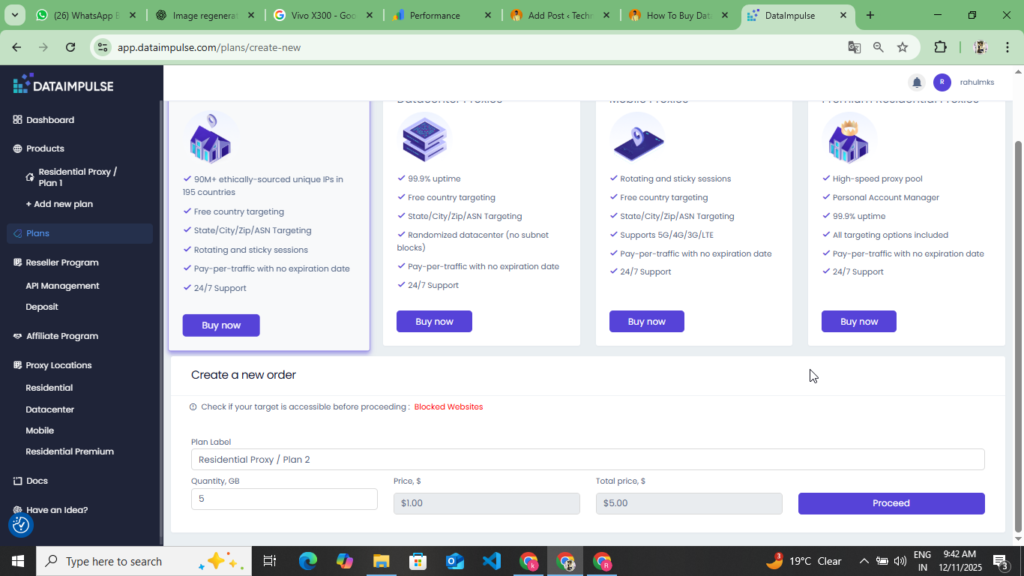
To buy DataImpulse Proxy, follow the below given points to buy DataImpulse Proxy.
- First of all create your account before buying proxy. If you have not created your account then follow the point given above and create your account.
- Now after creating the account, you get to see Plan in the side bar, you have to click on that plan, as you click on the plan, you will get to see which type of proxy you want to buy here, here you get to see many types of plans, the first plan is residential proxy, premium residential proxy and data center proxy and mobile proxy, you have to select the plan which proxy you want to buy and how many GB you want to buy, after selecting all this, you will get to see the option of complete payment, you have to click on it
- Now as you click on it, you will see two types of options in front of you, one is to deduct your amount from credit card and deduct from debit card or do it through crypto or do it through Ali Express, out of these you have to select debit card or credit card and click on the Next option, now you have to enter your debit card or credit card number, enter CVV number, enter all this which is asked here and an OTP will come on your mobile number, enter that OTP here and complete your payment, as soon as you complete your payment, you will be redirected to that plan.
Now, by following all these points, you can create your account and by selecting the plan you want to buy, you can buy it from here. It is very easy for you to buy the plan in this. You can easily buy the plan from here and by creating your proxy, you can run Ads Power on any browser.
How To Run DataImpulse Proxy
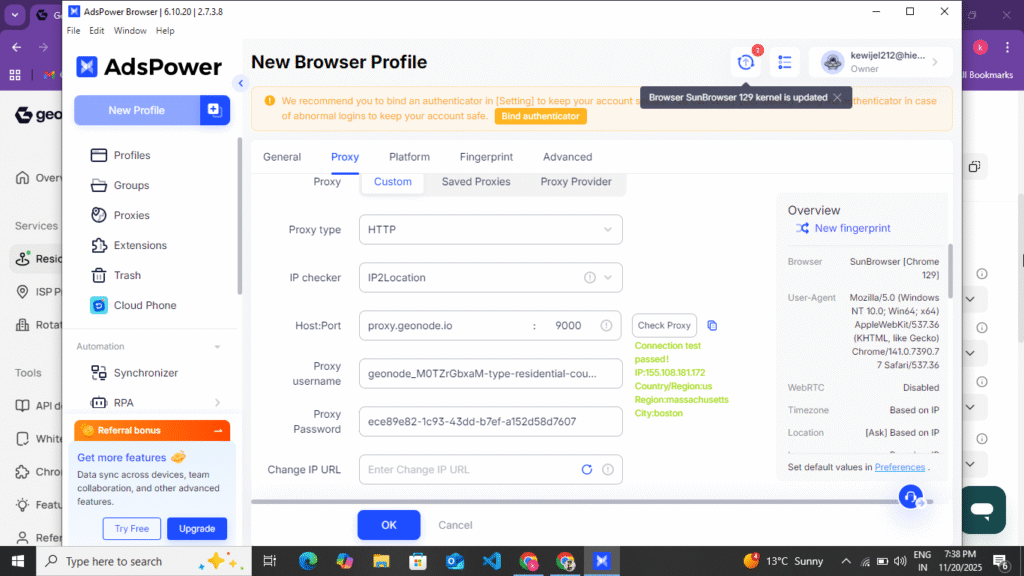
If you have purchased DataImpulse Proxy and want to run it, then follow the steps given below and create and run this proxy.
- After purchasing DataImpulse Proxy, you can run it on any of the following browsers: Ads Power, Octa Browser, and GoLogin, and you can also run it on other browsers.
- Now, if you want to run on Ads Power, then you simply have to download Ads Power from the browser and setup it. Now you get to see the option of Add Profile on Ads Power, click on it. After clicking on it, you have to enter the name of the profile and select your browser. After selecting the browser, at the bottom you have to select Manual Proxy HTTPS, select ip2 location. After that, you have to enter your Host Name, Post Name, Username, Password. You get to see all this data on DataImpulse Proxy. You have to select DataImpulse Proxy and Country. If you want to select the state, then you can select the state also. After selecting all this, copy the Host Name, Port Name, Username, Password from there and put it on Ads Power and create the Proxy by clicking on New Fingerprint.
- After creating the proxy, you will see the option of Run Browser at the end of the proxy. Click on it and run the browser. As soon as you run the browser, your proxy will run here. You can search anything from here and access any website.
Some Information About DataImpulse Proxy
DataImpulse Proxy is a reliable, affordable, and easy-to-use proxy service provider. The purchase process is very quick and takes just a few minutes. If you’re looking for a proxy for web scraping, data collection, ad verification, or any other online task, DataImpulse Proxy is a great option. You can easily get it running and working on AdsPower and any other browser.
Disclaimer :- This website review is not a sponsorship or promotion of any kind. The information given in this blog post is for user information only and this blog post does not depict any wrongdoing of the proxy.